I was genuinely excited to get my hands on the WOLFBOX G900 Pro, which they tout as their flagship mirror dash cam.
My interest stems from the innovative combination of a massive digital rearview mirror and a high-resolution, dual-channel recording system, promising 4K quality up front and 2.5K clarity for the rear.
For me, a dash cam’s core value is undisputed: it provides necessary video proof and evidence for events like a wreck or robbery.
My expert focus in testing the G900 Pro was threefold:
- Assessing the video quality driven by the cutting-edge Sony Starvis 2 sensor;
- Evaluating the practical usability of the Voice Control features;
- And confirming the real-world benefits of the 5 GHz Wi-Fi for faster data transfers.
Key Takeaways
- The WOLFBOX G900 Pro delivers flagship 4K/2.5K recording quality powered by Sony Starvis 2 sensors for outstanding clarity.
- Voice control is ultra-responsive and accurate, making it safer and easier to operate while driving.
- Dual-band 5GHz Wi-Fi offers four times faster transfer speed than standard 2.4GHz dash cams.
- Parking mode, G-Sensor, and GPS integration provide full security coverage 24/7.
- Ideal for drivers seeking premium video quality, smart features, and reliable mirror-based visibility.
WOLFBOX G900 Pro Design, Hardware, and Display Experience
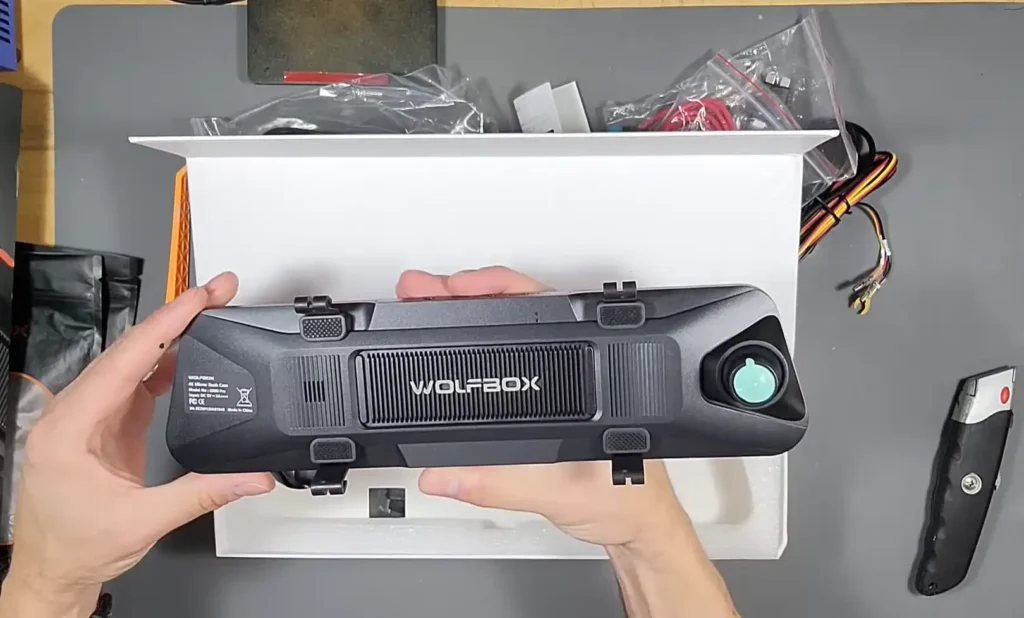
The WOLFBOX G900 Pro is certainly massive, boasting a 12-inch touchscreen display. I found the unit feels weighty and well-made.
Installation is straightforward; you simply clamp it onto your existing rearview mirror using the included rubber straps.
Regarding the display quality, it’s sharp, bright, and impressively responsive, with very little lag. I could quickly switch between views using simple swipes. I utilized the screen saver mode, which allows the unit to act like a regular, reflective mirror while still recording in the background.
A generous detail that impressed me immediately was the inclusion of a Wolfbox-branded 128 GB Micro SD card pre-installed in the slot, so we don’t need to go out and buy one.
My one significant complaint about the screen is a common issue with these devices: the glossy finish. Because lighting conditions in a car constantly change, this design is annoying, sometimes causing me to see more of my reflection than the dash cam image.
Fortunately, Wolfbox offers an optional anti-glare film separately, which, while bulky, does reduce the glare considerably.
WOLFBOX G900 Pro Video Performance and Image Quality Review
The video performance is where the WOLFBOX G900 Pro truly stands out, thanks to its high-quality sensors.
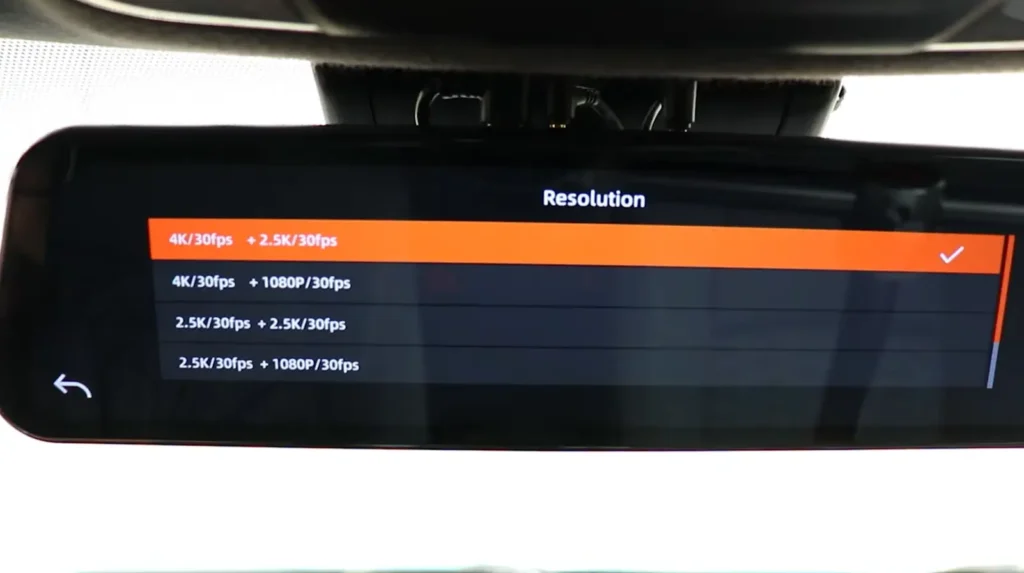
For the front camera, the unit records in 4K resolution (3840×2160 at 30fps) when coupled with the rear camera, or up to 5K HDR when used alone.
The front camera utilizes the advanced Sony Starvis 2 IMX 678 image sensor, which is 8 megapixels and 1/1.8 inches in size. It also features a 170° wide-angle, 7-element glass lens designed for better low-light performance.
The rear camera records in 2.5K resolution (2560×1440 at 30fps). This camera uses the Sony Starvis IMX 335 sensor (4 megapixels, 1/2.8 in), which is part of the prior Starvis 1 generation but still delivers good image quality.
The rear camera has a 150° wide-angle field of view and an IP67 waterproof design, allowing installation both inside or outside the vehicle.
In my footage review, the quality was crystal clear. I could read license plates and signs sharply, which is the most critical function of a dash cam.
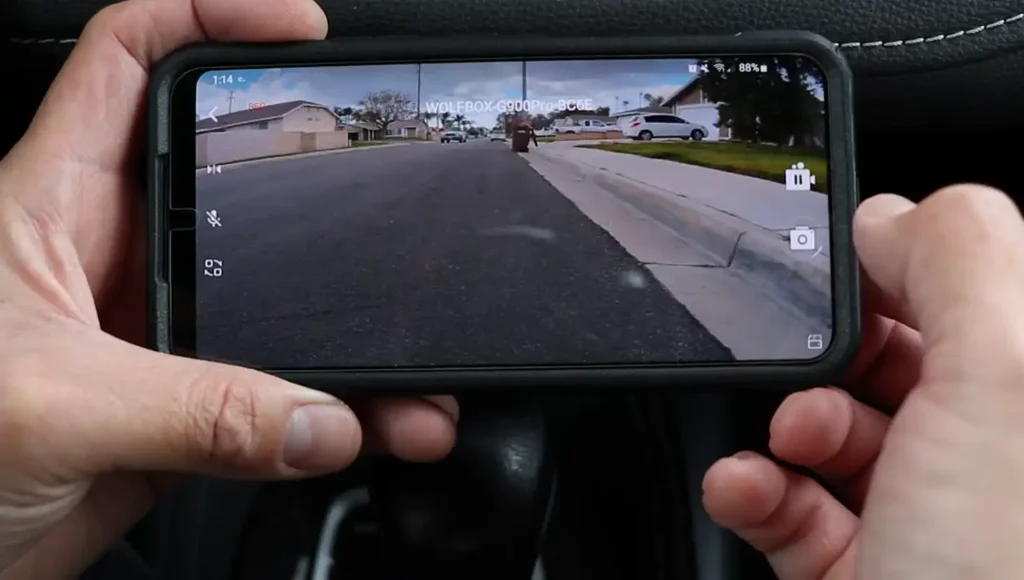
Nighttime footage was particularly impressive, especially because the Starvis 2 sensor is a beast when it comes to low-light clarity.
I did observe a fairly significant difference in color reproduction between the front and rear camera footage, which I believe is likely due to the tint of my rear window altering the light intensity captured by the camera.
Regarding audio, the dual microphone array successfully captured clear sound inside the cabin, even amid traffic noise.
Smart Features, Voice Control, and Connectivity on the WOLFBOX G900 Pro
The smart features genuinely enhanced the user experience. My favorite feature is the hands-free voice control.
I found the voice commands to be unbelievable responsive, working flawlessly even when I was driving with traffic noise around. Commands like “Show rear camera” , “Lock video” and “Turn off audio” all worked seamlessly.
The connectivity features are another flagship differentiator. The Wolfbox G900 Pro uses dualband Wi-Fi, supporting both 2.4 GHz and 5.8 GHz.
When connected via 5.8 GHz Wi-Fi, I found the data transfer speeds to be lightning fast, achieving around 8 MB/s. This is roughly four times faster than the older 2.4 GHz setups typically seen on other dash cams, which means quickly grabbing clips to my phone is easy without waiting around.
Using the WOLFBOX app, I was able to manage and download videos. However, I noted that the app provides access to only some of the settings, mostly the priority ones, and not every single setting available on the dash cam itself.
Finally, the GPS integration is excellent, displaying my speed (MPH/KPH) and direction in real-time on the screen. Once the GPS antenna is connected, the unit automatically syncs the time and date.
WOLFBOX G900 Pro Safety Features, Parking Mode, and Reverse Assist
For continuous security, the Wolfbox G900 Pro includes essential safety features. The G-Sensor instantly detects a sudden impact or collision and locks the corresponding video file into a secured folder, preventing it from being overwritten.
For 24/7 parking surveillance, the optional hardwire kit is required, as the 12V socket method turns off when the ignition is off. Parking monitoring offers two modes: G-Trigger recording (impact detection) or Time-Lapse recording, which can be set for 12 hours up to 48 hours.
When testing the reversing assist, I confirmed that by connecting the red wire on the rear camera cable to the reverse light feed, the screen automatically switches to the reverse view. The reversing guidelines are adjustable with three levels: High, Medium, and Low.
While you can swipe on the touchscreen to adjust the parking lines to fit your vehicle, I noted as an expert that these guidelines are only partially adjustable. This is an area where the Wolfbox G900 Pro can improve, as the WOLFBOX G50 features fully adjustable guidelines.
I also confirmed the presence of Loop Recording (1, 2, or 3 minutes clips) and a format reminder function that suggests formatting the SD card at 15 or 25-day intervals.
WOLFBOX G900 Pro Installation and Setup Review
The physical installation is manageable, though wiring the rear camera is the trickiest part.
Mounting the main unit is simple using the included rubber straps to clamp it over the existing rearview mirror. Alternative mounting options are available, including a sticky pad mount for the dashboard or a direct mount arm compatible with about 40 different vehicles.
The Wolfbox G900 Pro can be powered either by the provided 12V adapter or the recommended fuse kit (hardwire kit). I found that if parking monitoring is desired, the hardwire kit is essential; otherwise, the dash cam only powers on when the car is running.
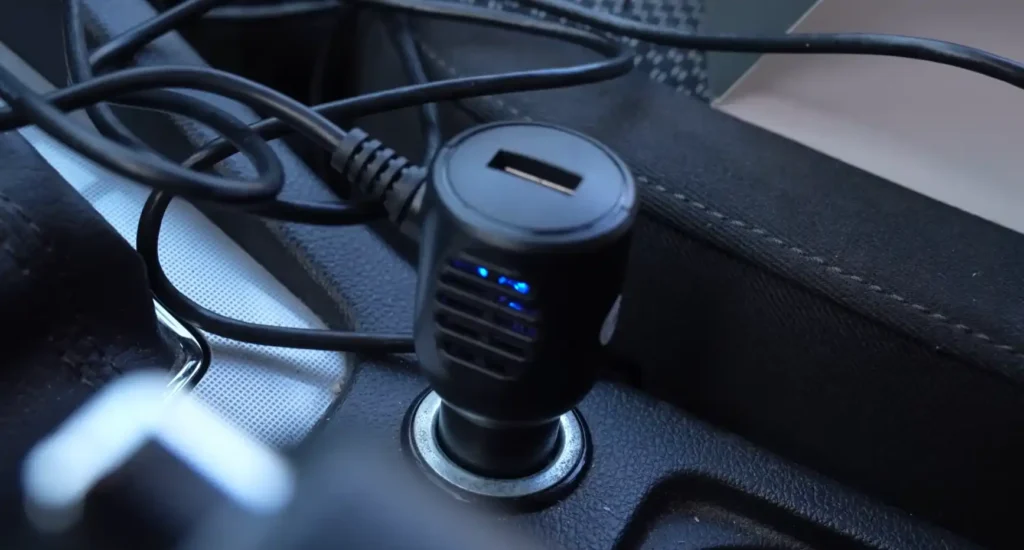
I used the provided pry tool to run the GPS and power cables neatly behind the weather strip and airbags.
The rear camera wiring requires patience. You must run the long cable (around 7m or 23ft) to the back of the car.
Crucially, if you want the reversing guidelines to appear automatically, the red wire needs to be attached to the reverse light wire.
I experienced potential connection issues using the standard clamp-on connections and suggested that soldering the red wire is a much more reliable method to ensure proper triggering of the reverse lines.
WOLFBOX G900 Pro vs WOLFBOX G900
If you are choosing between the older Wolfbox G900 and the new Wolfbox G900 Pro, the differences, particularly in video quality and modern features, are significant. The G900 Pro justifies its higher cost with these upgrades.
| Feature | WOLFBOX G900 Pro | WOLFBOX G900 |
| Front Sensor | Sony Starvis 2 IMX 678 | Older Sensor (Official Model Not Disclosed) |
| Front Camera Resolution | 8 Megapixels (1/1.8 in size) | 5 Megapixels (1/2.8 in size) |
| Maximum Resolution | 4K/2.5K dual (5K single) | Lower Quality (Resolution Not Explicitly Disclosed) |
| Rear Sensor | Sony Starvis IMX 335 (4MP) | Older Sensor (2MP) |
| Wi-Fi/App Support | Yes (5.8 GHz for fast transfer) | No |
| Voice Control | Yes | No |
| Fatigue Alert | Yes | No |
| Included SD Card | 128 GB | 64 GB |
| Internal Memory | 8 GB | 4 GB |
| Rear Camera Compatibility | Not compatible with G900 rear camera | N/A |
| Expert Recommendation | Recommended for latest video quality and features | Recommended if budget is very tight and latest features/video quality are not needed. |
Conclusion: Expert Verdict on the WOLFBOX G900 Pro Dash Cam
The WOLFBOX G900 Pro is, without a doubt, a high-quality, feature-packed system. It offers cutting-edge performance that elevates the technology of any vehicle.
The combination of the Sony Starvis 2 sensor for superior low-light performance and the incredibly fast 5.8 GHz Wi-Fi for quick data transfer makes it a top contender in the market. The voice control system is the most flawless and responsive I have tested in a dash cam.
My final critique points remain minor but relevant: the reversing guidelines are only partially adjustable, and the glossy screen necessitates purchasing the optional anti-glare film.
Additionally, potential buyers who already own the Wolfbox G900 should note that the Pro’s rear camera is not compatible with the older unit, requiring a full rear camera reinstall if they upgrade.
Key Metrics, Pros, Cons, and Ideal Users for the WOLFBOX G900 Pro
Top Advantages of the WOLFBOX G900 Pro Mirror Dash Cam
- Crystal clear 4K/2.5K recording with superior resolution and clarity.
- Excellent night vision performance thanks to the Sony Starvis 2 sensor.
- Highly responsive and seamless voice control, even while driving.
- Fast 5.8 GHz Wi-Fi offers up to 8 MB/s transfer speeds to the phone app.
- A generous 128 GB Micro SD card is included and pre-installed.
- Intuitive, sharp, and responsive 12-inch touchscreen menu.
Limitations and Potential Drawbacks
- Reversing guidelines are only partially adjustable; they lack the full customizability seen in models like the G50.
- The standard screen is glossy, requiring the optional CPL filter/anti-glare film to minimize reflections.
- The new rear camera is not compatible with the older G900 unit, complicating upgrades.
- The standard sticky pad mount is bulky.
Who Should Buy the WOLFBOX G900 Pro
This system is ideal for drivers prioritizing comprehensive security evidence, superior low-light video performance, and seamless digital integration that completely replaces the standard rearview mirror.