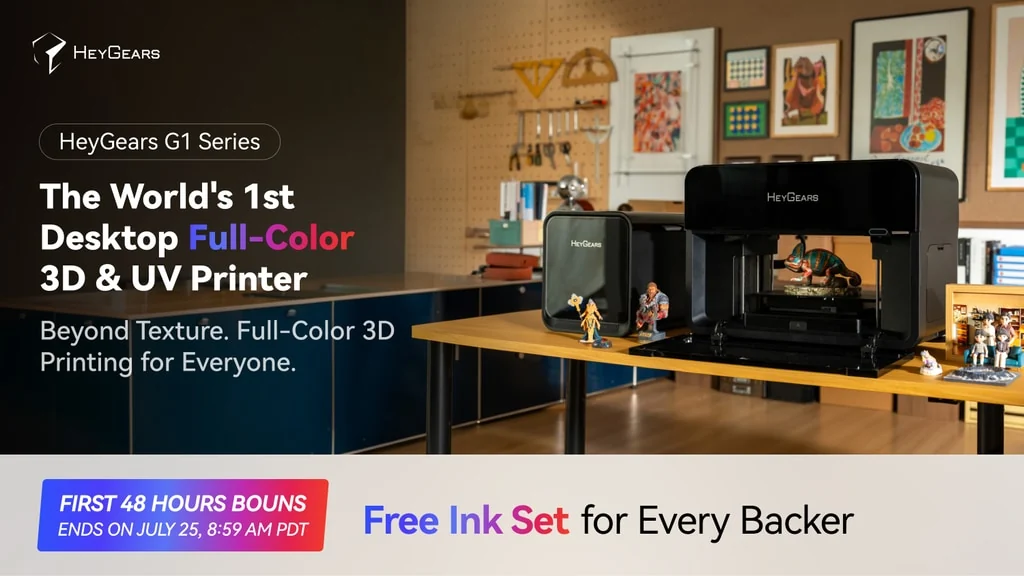
That combination is what makes it worth a closer look. For a small studio, print shop, model maker, or custom merchandise seller, the interesting question is not “Can it print in color?” It is whether one machine can replace several awkward steps: printing a model, painting it, applying decals, setting up a separate UV printer, and cleaning up traditional supports.
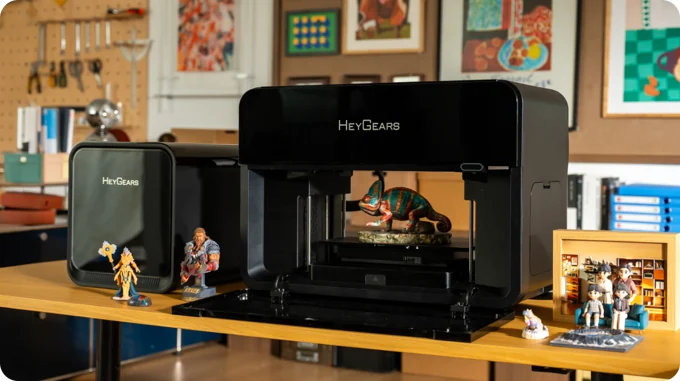
A UV Printer That Thinks Beyond Flat Objects
The most useful way to frame the HeyGears G1 Series is as a UV printer that has learned some 3D printer habits. The campaign presents the machine as a desktop full-color 3D and UV printer, and the G1X version centers on an eight-channel ink system with an Epson i3200-class printhead, 10 million-plus color output, and faster UV printing than F1080-based desktop UV printers.
The distinction between G1 and G1X matters. The base G1 is positioned around flat UV printing and raised texture work. The G1X is the version that carries the full-color 3D story, including colored objects, transparent effects, and water-soluble supports. I would be careful not to treat every G1 Series configuration as the same machine.
What interests me is the spread of jobs this platform is meant to cover. A standalone UV printer can decorate phone cases, signs, panels, acrylic, leather, wood, glass, metal, and other hard goods. A resin printer can make detailed 3D objects, usually in one color. The G1X pitch is that a creator can move between flat graphics, tactile relief, and finished full-color 3D output without rebuilding the whole workflow around separate tools.
The Workflow Is the Real Product
Full-color 3D printing sounds simple until you ask where the color comes from. Most printable models are just geometry. They do not always include useful color data, texture maps, or a clean path into a slicer. That is why the software side matters almost as much as the hardware.
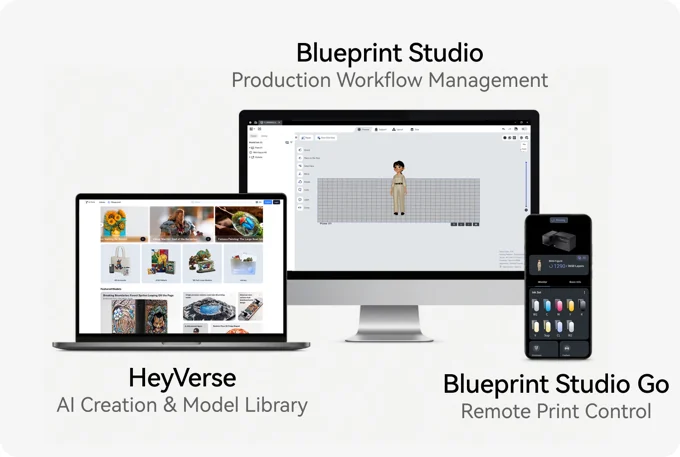
HeyGears positions Blueprint Studio and HeyVerse as the bridge between idea, color data, layout, slicing, and print control. The collected video transcripts describe workflows that start with colored or textured model files, then move into Blueprint Studio for print preparation. One practical path is to work with a color-carrying model format such as OBJ, then let the software prepare the job with supports and layout.
For a shop, that could change the job from “print this object, then finish it by hand” to “prepare the color object once and print a finished-looking piece.” I would not assume that every downloaded STL becomes a beautiful color model instantly. But if your workflow already includes digital sculpting, game assets, product renderings, or textured models, the G1X idea starts to make more sense.
Why Water-Soluble Supports Matter
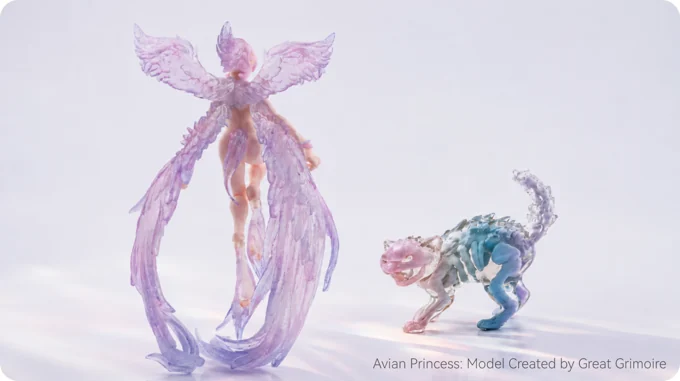
The water-soluble support claim is not a small side note. For detailed figurines, display models, prototypes, and miniature scenery, supports can be the difference between a clean workflow and a long finishing session. Traditional resin supports often require clipping, sanding, and judgment. If a full-color object can be printed and then soaked so the support material releases more cleanly, that is a meaningful production advantage.
The G1X also appears to cure during the printing process, which changes the post-processing story compared with standard resin workflows. I would still want to see long-term user reports before treating it as effortless, but the design logic is strong: if the point of full-color printing is to reduce finishing work, the support system has to support that goal too.
Transparent and color output is another part of the same idea. The campaign material shows transparent effects alongside colored elements, which is the sort of thing that is tedious to fake with paint alone. For fantasy figures, product mockups, collectible props, or educational models, that can make the printer more than a shortcut.
The Flat UV Side May Be Just as Important
It would be easy to focus only on the full-color 3D examples, but I think the flat UV side may be what makes the machine commercially interesting. A small shop rarely needs one kind of output all day. One customer wants a logo on an acrylic plaque. Another wants custom packaging. Another wants a textured art panel. Another wants a display model.
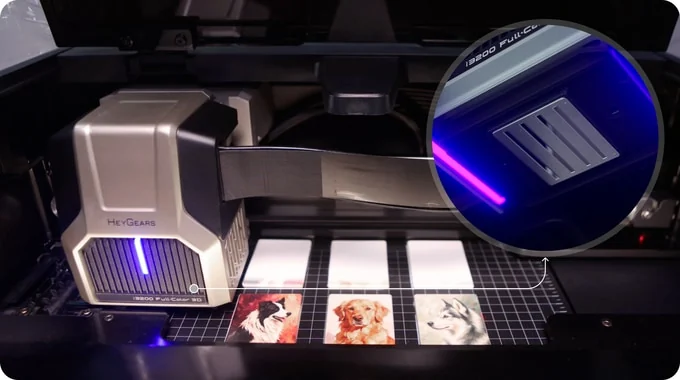
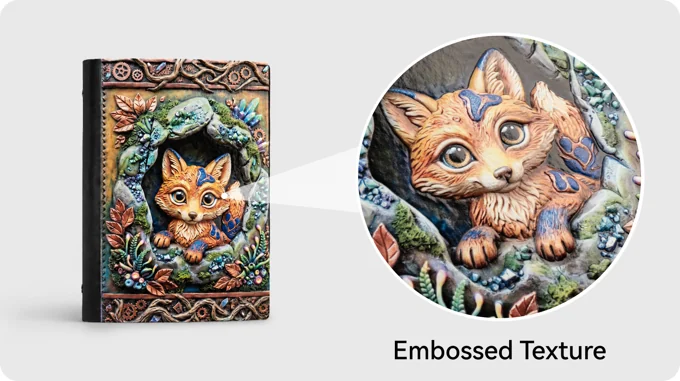
The G1 Series is described as supporting 2D UV printing on more than 400 base materials, with coverage across materials such as plastic, metal, wood, glass, ceramic, leather, and acrylic. The same family also supports raised texture work, with sponsored coverage describing texture relief up to 5 mm on flat substrates. That is a useful middle layer between ordinary surface graphics and full 3D objects.
For an Etsy-style seller or local personalization shop, that middle layer is important. A flat print can feel commodity-like. A raised texture on a sign, art panel, decorative tile, or package prototype gives the object a reason to command attention without requiring a fully printed 3D form.
Where It Fits Best
The strongest fit is not the casual hobbyist who wants the cheapest path into 3D printing. It is someone with a repeatable use case. I would put small creative studios, custom merchandise sellers, miniature and terrain makers, prop builders, design teams, and local print shops at the top of the list.
A terrain maker might use the G1X to add color and texture to display pieces that would otherwise require hours of painting. A product designer could make a presentation model that looks closer to the final object. A print shop could move between direct UV jobs and raised texture work without buying a separate machine for every category. A small online seller could test limited-run personalized items before committing to a larger production path.
That does not make it universal. If you only print occasional monochrome resin figures, the extra system complexity may not be worth it. If you mainly need structural FDM parts, this is not chasing the same problem. The G1X is most compelling when color, surface finish, and short-run customization are part of the value of the object itself.
How It Compares With What Creators Already Use
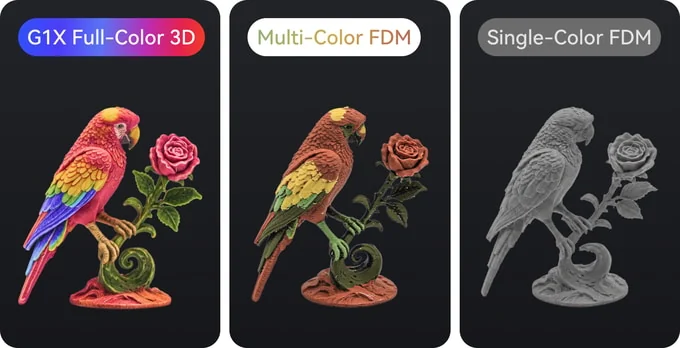
Compared with monochrome resin printing, the obvious advantage is color and reduced finishing. Compared with multi-color FDM, the advantage is finer visual detail and a different surface process, although FDM remains better for many functional parts and lower-cost material workflows. Compared with a standalone UV printer, the G1X adds the promise of full-color 3D objects and water-soluble supports.
Large industrial full-color systems already exist, but they live in a different category. The G1X is interesting because it tries to bring part of that workflow to a desktop format. I would avoid treating campaign comparisons as independent proof of industrial-equivalent performance. The better argument is simpler: this machine puts several previously separate creator workflows into one more approachable footprint.
That is why the G1 Series feels less like a novelty and more like an early version of a new shop category. It is not only about a colorful parrot or a tiny sandwich keycap. It is about whether color can become part of the print plan from the beginning.
Should You Consider It?
I would consider the HeyGears G1 Series if the output would support a real creative or commercial workflow. The G1X in particular looks strongest for people who already understand digital model preparation and want finished-looking color objects, textured surfaces, and direct UV printing from one system.
I would be more cautious if you are new to 3D printing, allergic to maintenance, or expecting a simple appliance. The product looks most persuasive when treated as a prosumer production platform, not a casual desk toy.
If that sounds like your use case, the next sensible step is to inspect the live campaign details, compare the exact configuration you want, and decide whether the consumable and maintenance picture fits your workload.
Check the HeyGears G1 Series campaign
Disclosure: This article contains an affiliate link. We may earn a commission at no extra cost to you.
FAQ
What can the HeyGears G1 Series print?
The G1 Series is presented as a UV printing platform for flat 2D graphics, raised texture work, and, in G1X configurations, full-color 3D objects. The UV side is described as compatible with hundreds of base materials, while the full-3D story centers on the G1X.
What is the difference between G1 and G1X?
The base G1 is positioned for 2D UV printing and texture relief. G1X configurations add the stronger full-color 3D proposition, including the eight-channel print system and water-soluble support workflow described in the campaign material.
How does the G1X make full-color 3D objects?
The G1X uses a UV inkjet-style process with color data prepared through the software workflow. Color-carrying models can be prepared in Blueprint Studio, then printed with support material where needed.
Who is the best fit for this machine?
The best fit is a creator or small business that can use color, texture, and direct-to-object printing in repeatable work. Think custom merchandise, models, props, display pieces, packaging prototypes, and short-run personalized goods.
What should buyers check most closely?
The main due-diligence items are printhead maintenance, ink and resin costs, support material costs, replacement-part policy, and how the exact G1 or G1X configuration maps to the work you plan to do.