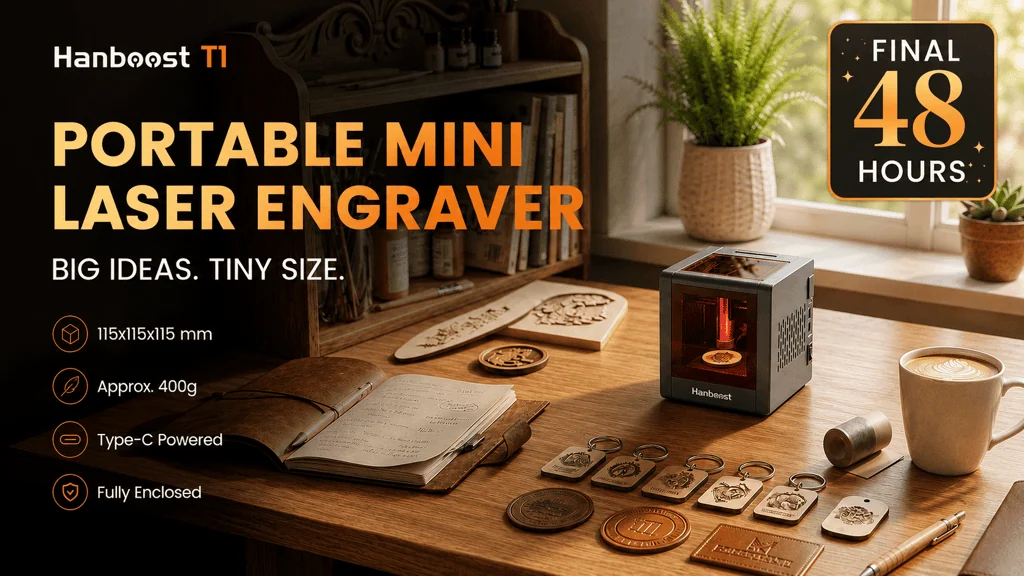
Hanboost T1 is a compact enclosed laser engraver for small creative jobs: gift tags, leather patches, cork, cards, small labels, and the kind of desk-sized personalization work that does not justify a full open-frame machine. What interests me most is not that it tries to make laser engraving more powerful. It tries to make the first step smaller, neater, and less tied to a fixed workshop.
The strongest fit is a maker, hobbyist crafter, gift creator, teacher, or small-batch seller who mainly wants to mark small objects and learn the workflow without dedicating a corner of the room to a larger engraver. If your plans involve large panels, frequent cutting, or serious production volume, T1’s tiny format is likely to feel limiting. If you want a portable, enclosed entry point for small custom work, the idea makes a lot more sense.
What Hanboost T1 Is Trying to Change
Laser engraving usually asks for more space and patience than a beginner expects. The machine is only one part of the process. You also need material prep, safe conditions, ventilation, design files, staging, and calibration. One Reddit commenter in a laser engraving discussion made that point well: the lasering itself is not always the hard part; everything around it can be.
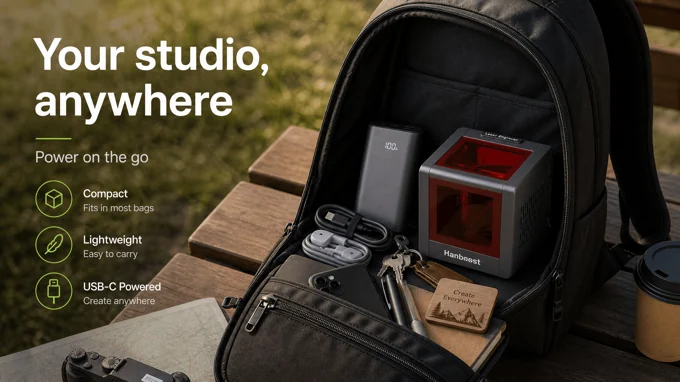
That is why T1’s concept is interesting. Hanboost presents it as a small enclosed cube that can run from USB-C power, including power banks, and connect through app or familiar engraving software. The pitch is not “build a shop.” It is closer to “put a small personalization station on a desk, at a craft table, or in a bag.”
I like that framing because it gives the product a clear job. A craft fair seller could personalize wood tags where there is no nearby outlet. A gift maker could add names or simple graphics to envelopes, leather patches, or cards. A teacher could demonstrate small-format laser marking without rolling in a large machine. Those are narrow jobs, but they are real jobs.
The Design Logic: Enclosure, USB-C Power, and a Small Footprint
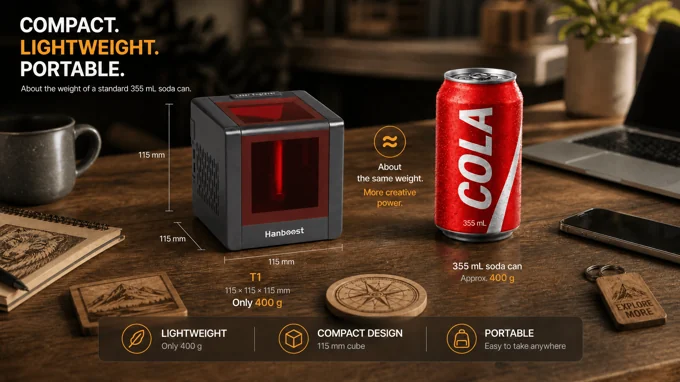
T1 is described as a cube around 115 x 115 x 115 mm, with campaign graphics listing about 400 g and New Atlas reporting 388 g, or 14 oz. I would treat that as “about 400 g” unless the final retail spec changes, but the practical point is simple: it is meant to be closer to a desk object than a bench tool.
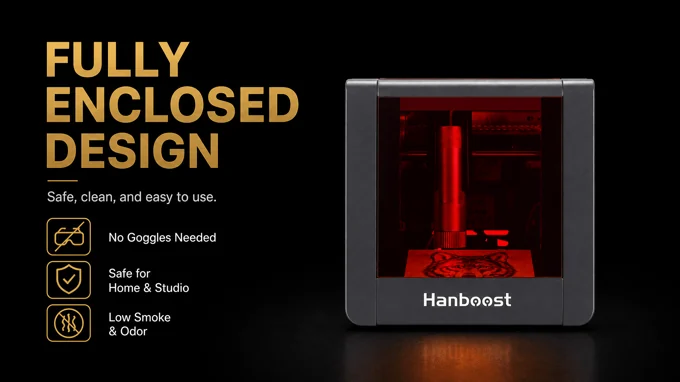
The fully enclosed body is also central to the appeal. Hanboost and third-party coverage describe a tinted observation cover, enclosed operation, tilt protection, active cooling, and related safeguards. Those are still product and coverage claims, not independent safety certification in the material I reviewed, so I would not treat the enclosure as permission to ignore normal laser safety habits. Still, the enclosed format is a meaningful design choice for beginners who do not want an open-frame setup sitting out in a shared space.
The power setup may matter just as much. USB-C and power-bank support change where the machine can be used. That does not remove the need for stable placement, suitable materials, or safe ventilation, but it does make the product easier to imagine at a small market table, classroom desk, or hobby corner.
Why the Small Work Area Matters
The most important expectation to set is size. T1 is a small-format engraver, and that should shape the entire buying decision. New Atlas and the YouTube transcript describe an engraving area of 60 x 40 mm, while one campaign specification image extracted by OCR lists 55 x 55 mm. Because those figures conflict, I would avoid building a buying decision around the exact number until checking the latest campaign specification.
Either way, the area is small. That is fine for tags, patches, cards, cork pieces, small labels, and sample marks. It is not fine for large plaques, big product panels, or broad decorative work. A Reddit commenter who liked the industrial design still worried that the working area was too small for some marketing examples. That is a useful reality check.
In other words, T1 should be judged by the objects it can realistically fit under the laser, not by the fact that larger laser engravers exist. If the object is small and the job is repeatable, the compact format becomes a strength. If the object is large, the same compactness becomes the problem.
What It Can Engrave, and Where the Pro Module Changes the Equation
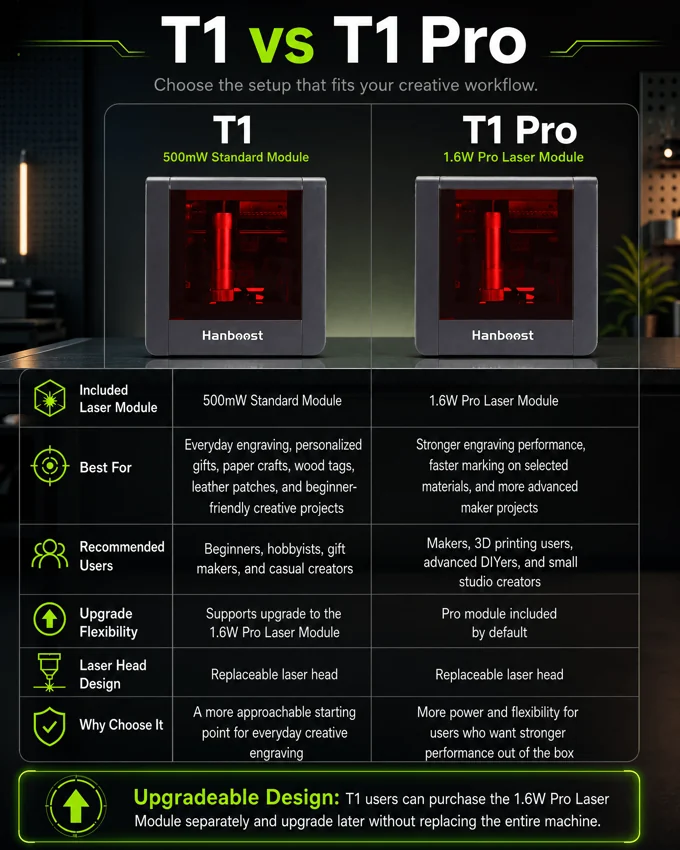
The standard T1 is described around a 500 mW laser module. The Pro version uses a 1.6 W module, and Hanboost presents the laser head as replaceable so owners can start smaller and upgrade later. That upgrade path is one of the smarter parts of the product story, because the buyer decision is really about commitment.
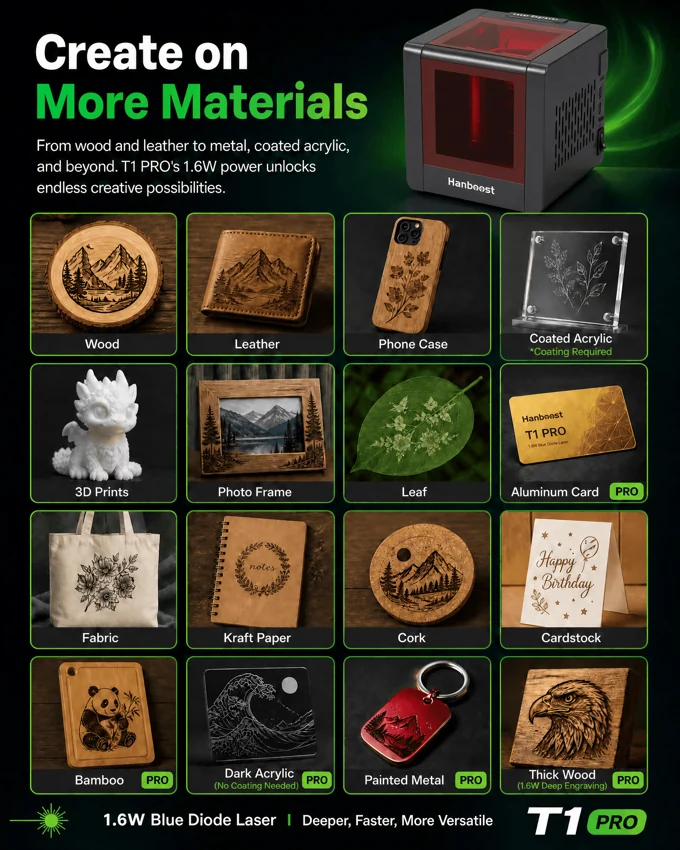
For everyday creative work, the standard model is positioned around materials such as wood, leather, cork, kraft paper, fabric, and coated acrylic. The Pro module is associated with a wider range that includes painted metal, bamboo, aluminum cards, dark acrylic, and thicker wood. I would keep the word “engrave” doing the work here. One Reddit commenter cautioned that even at 1.6 W, buyers should mainly expect engraving rather than meaningful cutting beyond very light material.
That is not a fatal limitation. It is the category. T1 looks most useful when the job is personalizing small surfaces, not replacing a higher-power machine. The Pro module may be worth considering for someone who already knows they want broader material support from day one. The standard module makes more sense for someone testing whether laser engraving fits their creative routine.
Software and Workflow: Simple App Jobs or Familiar Maker Tools
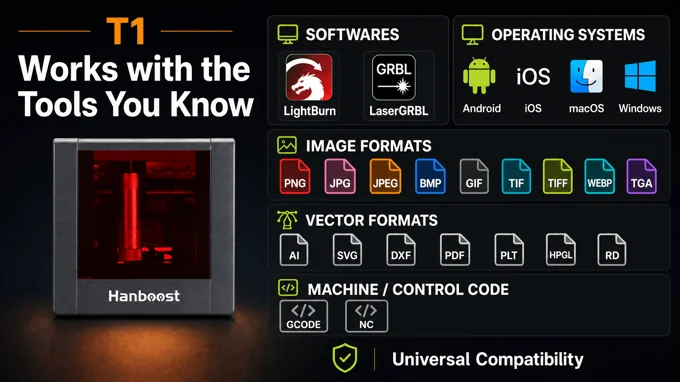
Hanboost says T1 works with LightBurn and LaserGRBL, and campaign graphics also refer to an Android app or MKSLaser app path. New Atlas similarly mentions Windows and macOS desktop software plus an Android mobile workflow. That mix is useful because it gives T1 two possible lanes: quick app-based work for simple designs, and more familiar maker software for people who already use laser tools.
I would still expect a learning curve. Design import, previewing, focus, material settings, staging, and calibration do not vanish because the machine is smaller. They just happen on a smaller canvas. For a beginner, that may actually be a good thing. Small stock is cheaper to waste, and a compact engraver can make experimentation feel less intimidating.
The article should not oversell the app as magic. The better pitch is that T1 lowers the setup burden while leaving the craft of laser engraving intact.
Best-Fit Scenarios
The clearest use case is craft-table personalization. Picture a seller with blank wood tags, leather patches, or small cards, and a customer asking for a name, logo, or simple mark. A compact enclosed machine that can run from a power bank is easier to justify there than a larger engraver that needs a fixed station.
The second fit is gift making. T1’s small working area suits the scale of envelopes, cards, cork pieces, leather labels, and small keepsakes. That is where the product’s size works with the job rather than against it.
The third fit is learning. If someone wants to find out whether laser engraving belongs in their hobby stack, a low-commitment, small-format machine is less daunting than a larger setup. One Reddit user put it plainly: the limited canvas is obvious, but the cost of entry can be low if the goal is to decide whether laser engraving is for you.
Where I would hesitate is production ambition. If you already know you want to engrave larger objects, process batches quickly, cut material often, or build toward a more serious shop workflow, T1 may become a stepping stone rather than a long-term tool.
Should You Consider Backing Hanboost T1?
I would consider Hanboost T1 if your main goal is small custom engraving in a compact, enclosed, easy-to-place machine. The most persuasive reason is the combination: palm-size body, USB-C power, enclosed design, familiar software support, and an upgrade route from the standard module to the 1.6 W Pro path.
I would be more cautious if you are attracted by the word “laser” but really want a cutter, a large engraving bed, or a machine that removes the broader learning curve. T1 still asks you to understand materials, settings, positioning, and safe conditions. It simply makes the machine itself smaller and more approachable.
For the right person, that is enough. A tiny engraver can be a useful tool when the work is tiny too. The key is buying it for tags, patches, cards, labels, and small creative objects, not for the larger projects a full-size laser is built to handle.
Disclosure: This article contains an affiliate link. We may earn a commission at no extra cost to you.
FAQ
Is Hanboost T1 meant for cutting?
I would treat it as an engraving-first tool. One Reddit commenter said they would not expect meaningful cutting beyond very light material, even with the 1.6 W Pro module. That fits the broader evidence: T1 is positioned around small personalization and marking, not replacing a higher-power cutter.
What materials does Hanboost T1 support?
The standard model is positioned around craft materials such as wood, leather, cork, kraft paper, fabric, and coated acrylic. The Pro module is associated with broader material support, including painted metal, bamboo, aluminum cards, dark acrylic, and thicker wood. Performance claims should still be treated as product claims unless backed by independent testing.
How portable is Hanboost T1?
The product is described as a 115 x 115 x 115 mm cube weighing about 400 g, with USB-C and power-bank support. That makes it plausible for desk, classroom, hobby corner, and craft-table use, provided the setup is stable and the user still follows safe engraving practices.
Does Hanboost T1 work with LightBurn or LaserGRBL?
Hanboost materials and third-party coverage describe support for LightBurn and LaserGRBL, plus an Android app path for simpler workflows. That should appeal to users who want a familiar desktop software route instead of relying only on a mobile app.
Who is Hanboost T1 best for?
It is best for hobbyist crafters, gift makers, small-batch sellers, teachers, and beginners who want small-format personalization. It is a weaker fit for people who need a large work area, frequent cutting, high throughput, or a machine they will not outgrow.