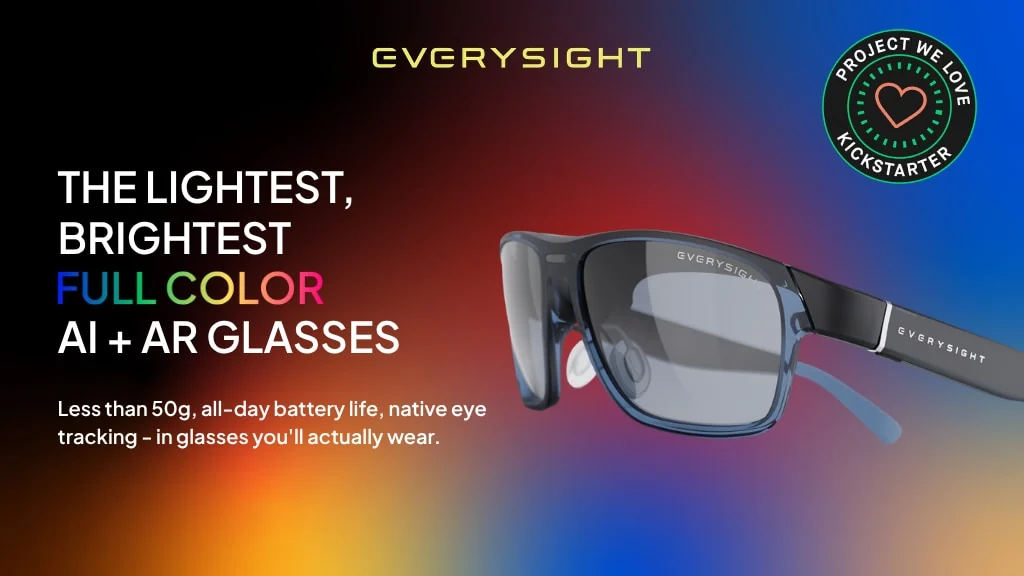
Maverick AI is a pair of smart glasses built around a simple idea: useful augmented information should sit at the edge of your attention, not take over your view. The frame combines a full-color in-lens display, a forward-facing AI camera, contextual audio and direct prescription-lens support in a design listed at 47 grams (1.65 ounces). Maverick AI Pro adds native eye tracking, turning gaze into another way to navigate information.
That combination makes the glasses most relevant to cyclists, runners, hikers, golfers, travelers and wearable-tech enthusiasts who want short prompts without repeatedly reaching for a phone. I think the strongest reason to consider Maverick is not that it promises the biggest AR experience. It is that Everysight is deliberately trading immersion for a display people might plausibly keep on their face.
Maverick’s Real Proposition Is a Wearable HUD, Not Immersive AR
The term “AR glasses” can suggest floating cinema screens, room-scale objects or gaming. That is not the best way to understand Maverick. Its display is intended for glanceable content such as directions, transcription, translation, activity information and responses to questions about the wearer’s surroundings.
This narrower purpose is important. A cyclist following a route does not need a virtual world filling the road ahead. A traveler trying to understand a sign needs a short translation. A golfer checking course information wants a compact visual reference, not a headset. Maverick’s heads-up-display approach is designed around those brief interactions.
The glasses also retain an integrated speaker and microphone system for AI interaction, calls and audio. Visual prompts can therefore be paired with sound rather than forcing every interaction onto the display. The result sits between camera-and-audio AI glasses and bulkier display hardware.
Why the BEAM Display and 47g Frame Matter Together
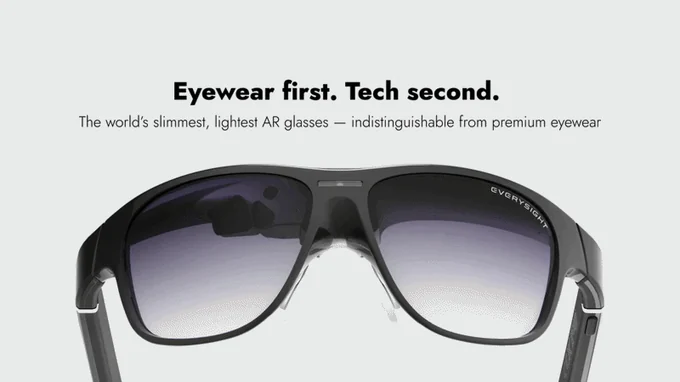
Everysight calls its optical system BEAM. It projects a full-color Sony micro-OLED image into the lens while keeping the frame closer to conventional eyewear proportions. The company lists the display at more than 5,000 nits and describes it as visible indoors and outdoors. Those are manufacturer claims rather than independently verified measurements, but outdoor visibility is central to the use cases Maverick is targeting.
Weight is equally central. At a stated 47 grams, Maverick is heavier than many ordinary spectacles but unusually light for eyewear that includes a color display, camera, microphones, speaker, sensors and battery. One reviewer who received a sponsored trip from Everysight and spent time with the glasses said the low weight was the biggest surprise. He also described the display as crisp and colorful. His impressions are encouraging, although they should not be treated as long-term comfort or performance testing.
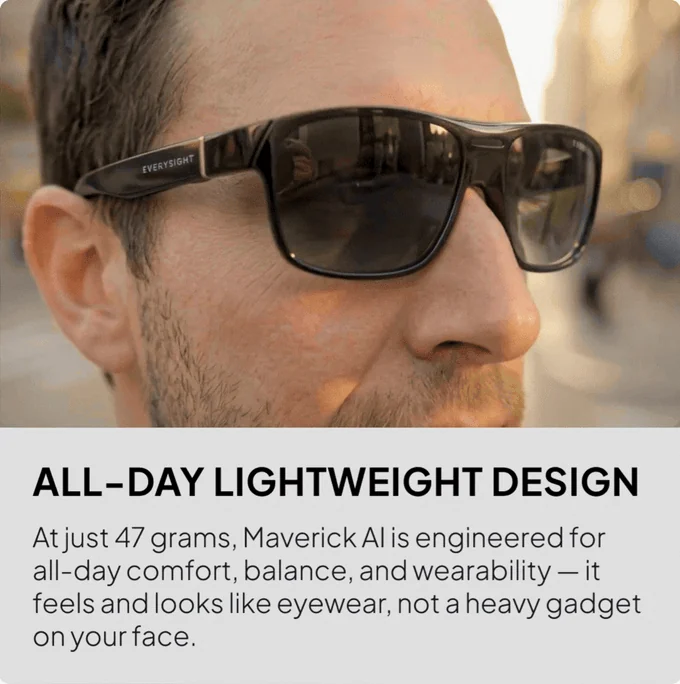
Everysight claims more than eight hours of display-on operation at full brightness. The product specifications also list Bluetooth 5.2 and IP55 protection. I would still treat “all-day” as a design target rather than a promise for every workload. Navigation, camera use, AI requests, audio volume, connectivity and display settings can all affect a wearable’s real endurance.
Prescription Lenses Without a Bulky Insert
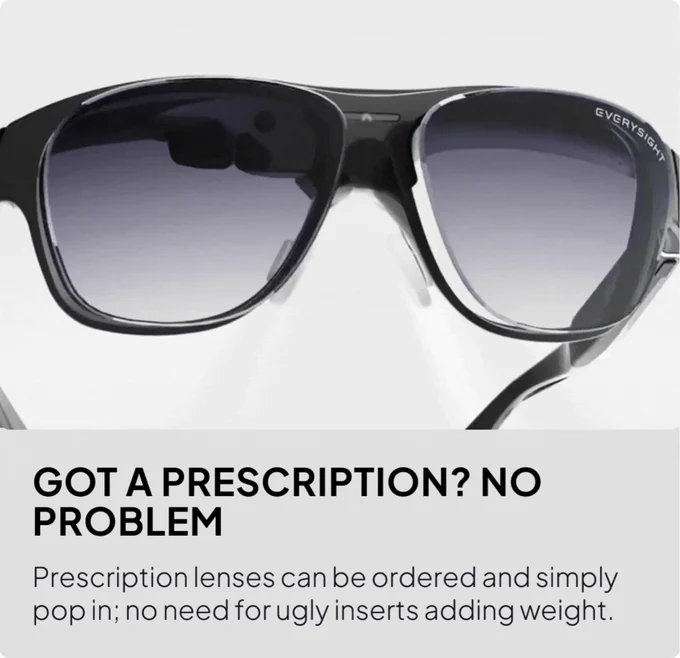
Prescription support is one of Maverick’s more practical design choices. Rather than placing a separate optical insert behind the display lens, compatible prescription lenses are designed to pop directly into the frame. The same swappable approach supports clear and tinted configurations.
That could make a meaningful difference for someone who already wears glasses throughout the day. Inserts often add another optical surface, more weight and a less natural appearance. The remaining question is fit: buyers with stronger or more complex prescriptions should confirm that their exact prescription and preferred lens configuration are supported before making a commitment.
The Standard Model Sees; the Pro Model Follows Your Gaze
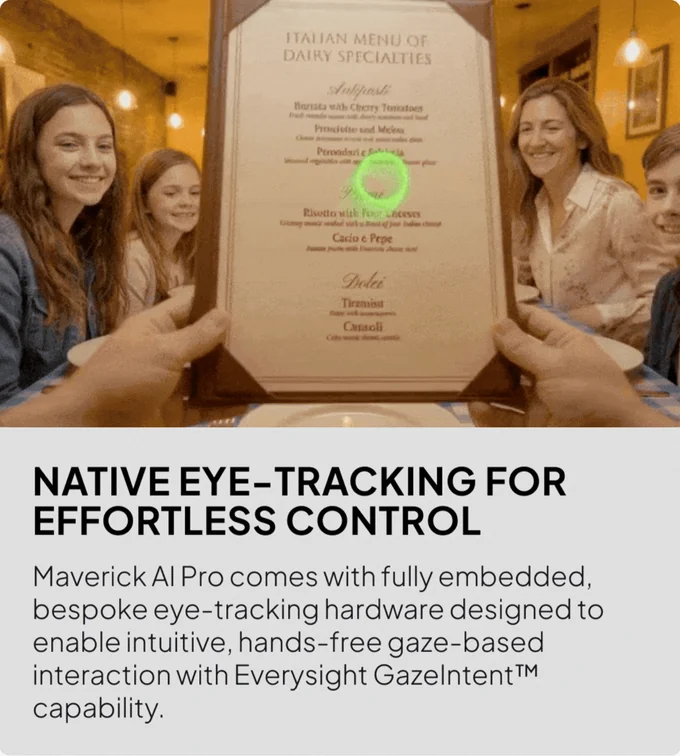
Maverick AI and Maverick AI Pro share the core display, camera, audio and connected-computing concept. The defining Pro feature is native GazeIntent eye tracking. Sensors follow where the wearer is looking so an interface can respond to gaze without requiring a ring, handheld controller or learned hand gesture.
That distinction matters because condensed descriptions of Maverick sometimes make eye tracking sound universal. The more detailed product information assigns native eye tracking specifically to the Pro model. I would choose the standard version for the color HUD and contextual AI functions; I would consider the Pro only if gaze control is a primary reason for buying the glasses.
Demonstrations show why gaze could be useful. A wearer can look toward an interface element, inspect a point on a chart or move attention between panels while the system tracks that focus. It is a natural match for moments when both hands are occupied. The open question is how reliably calibration, selection and false-input rejection will work across different eyes, lighting conditions and longer sessions.
What the Forward-Facing AI Camera Is Meant to Enable
The camera provides visual context for questions about the world in front of the wearer. Everysight presents object recognition, scene understanding, translation and contextual information as target functions. Instead of taking out a phone, framing a scene and then reading the result on that phone, the intended flow is to ask a question and receive a concise answer in the lens or through the speaker.
This is also where privacy and software detail matter. Prospective backers should look for clear information about capture indicators, storage, retention and which features process data locally or in the cloud. A company representative has said the demonstrations use Google Gemini while the developer platform is intended to allow other AI services, but actual privacy behavior will depend on the chosen service and application.

Three Situations Where the Design Makes Sense
Navigation While Cycling or Running
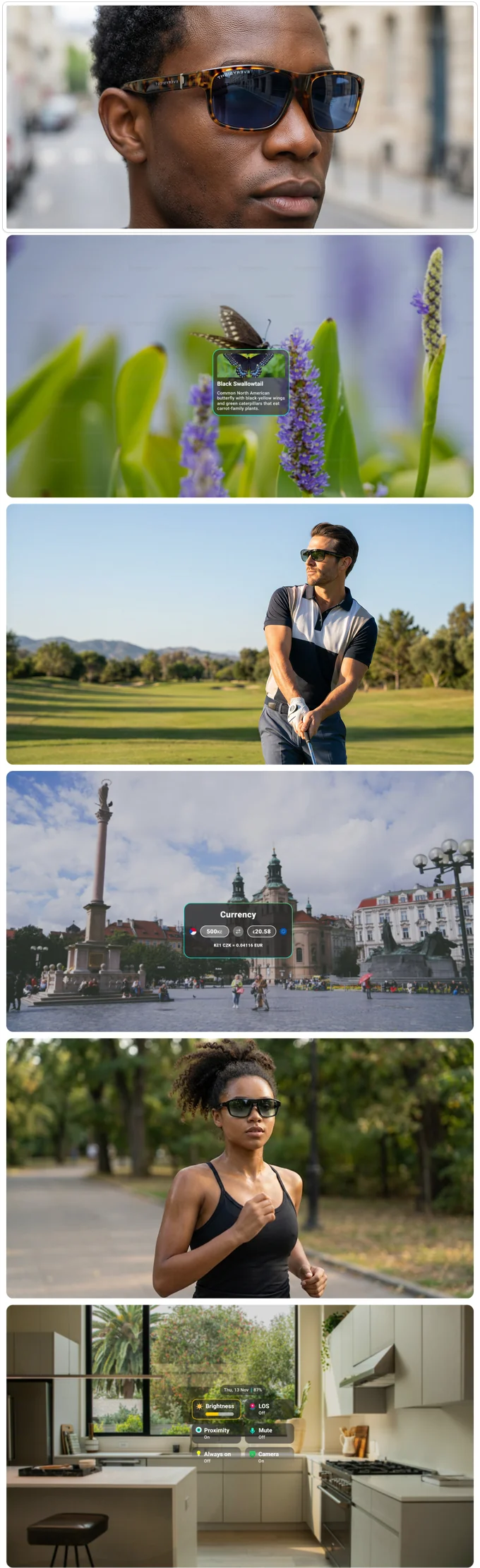
A cyclist approaching an unfamiliar junction has a simple problem: a phone screen is inconvenient and a spoken instruction may arrive without enough visual context. Maverick could place a small directional prompt in the rider’s line of sight while keeping the route and surroundings visible. For a runner, the same model could combine turn guidance with compact activity information.
This is the scenario that best explains the product’s priorities. Low weight, outdoor visibility, battery life and glanceable graphics matter more here than a wide immersive display. It also sets an appropriate limit: any wearable display should supplement situational awareness, not compete with it.
Translating a Sign in an Unfamiliar Place
A traveler in a station or city street may need to understand a sign while staying oriented in a busy environment. The camera can provide the visual context, an AI service can interpret it and the display can present a short translation. This removes some of the switching between the scene and a phone app.
The mechanism is persuasive, but the quality of translation, response time and supported languages will depend on the software and connection. I would regard it as a promising convenience rather than a substitute for critical travel information.
Checking Data on a Golf Course or Hiking Route
Golf and hiking both involve repeated, small information checks. Course layout, distance, direction, trail context or a simple map can be useful without becoming the main activity. A glanceable HUD is a better conceptual fit for those moments than a large floating workspace.
One hands-on reviewer specifically highlighted outdoor and sport uses including golf, cycling, jogging, hiking and mapping. That report was based on access arranged by Everysight, so it is most useful as a description of the intended experience, not proof that every application is finished or equally polished.
The Hidden Trade-Off Is Where the Computing Happens
Maverick is not presented as a fully standalone Android XR computer. It connects to iOS or Android devices, and Everysight also discusses Apple Watch and Wear OS integration. A company representative explained that substantial computation is intentionally offloaded to a phone or watch to help preserve weight and battery life.
That is a sensible engineering choice, but it creates dependencies. The quality of the companion software, background connectivity and phone compatibility becomes part of the glasses experience. Anyone expecting to leave a phone behind should pay close attention to which functions remain available on their preferred watch and which require the phone.
There is still meaningful processing in the glasses. Alif Semiconductor says Maverick uses its Ensemble E7 platform, combining Arm application processors, microcontroller-class CPUs and neural-processing units for workloads such as sensor input, image processing, AI acceleration, display control and connectivity. As the chip supplier, Alif has an obvious interest in the product, but the architecture helps explain how Everysight is balancing local responsiveness with tethered services.
Software will ultimately determine whether that hardware feels coherent. Everysight is promoting a developer SDK and says developers will be able to work with different AI providers rather than being locked to Gemini. The opportunity is a broader range of navigation, activity and accessibility-oriented apps. The risk is that a promising hardware interface can arrive before its application ecosystem matures.
Who Should Consider Maverick AI, and Who Needs the Pro?
Maverick AI makes the clearest case for people who already know what they want from a small display: directions during an activity, short translations, live transcription, contextual questions or compact visual data. Prescription wearers may also find the direct lens design more appealing than products that rely on inserts.
The Pro model has a narrower but more distinctive audience. Developers, interface enthusiasts and users who regularly need hands-free selection may find native eye tracking central to the experience. For everyone else, gaze control could be an impressive feature that does not justify choosing a more complex model.
Neither version is a natural fit for someone seeking immersive games, a personal cinema or a standalone spatial computer. The restrained HUD is the point. Buyers also need to accept phone or watch tethering and the ordinary uncertainty of crowdfunded hardware, including the possibility that software, manufacturing or fulfillment changes before delivery.
My view is conditional but positive. Maverick combines a color in-lens display, direct prescription support, an AI camera and a notably light frame in a way that matches real, brief interactions. If those priorities are more important to you than immersion, the design is worth a closer look. If eye-driven control is the feature that makes the idea compelling, focus on the Pro rather than assuming it is shared by both models.
Frequently Asked Questions
What is the difference between Maverick AI and Maverick AI Pro?
Both are built around a color in-lens display, forward-facing AI camera, audio and connected mobile computing. Maverick AI Pro adds native GazeIntent eye tracking for gaze-based interaction.
Can Maverick AI use prescription lenses?
Maverick is designed for prescription lenses that fit directly into the frame without a separate insert. Confirm that your prescription, lens type and region are supported before backing.
Does Maverick work without a phone?
The glasses contain onboard processing, sensors and display hardware, but substantial functions are designed around tethering to an iOS or Android device. Everysight also discusses compatibility with Apple Watch and Wear OS. Check the final compatibility details for the functions you expect to use.
Is Maverick intended for gaming or watching large virtual screens?
Its strongest use cases are glanceable information, navigation, translation, transcription, contextual AI and activity data. It is not positioned as an immersive gaming headset or personal cinema.
How long does the battery last?
Everysight claims more than eight hours of display-on use at full brightness. Real-world endurance will depend on the mix of display, camera, AI, audio and wireless activity.
Who is Maverick best suited to?
The strongest fit is an active or frequently mobile user who wants brief visual information without repeatedly handling a phone. The Pro is especially relevant to people who value hands-free, gaze-based control.
If that sounds like the kind of wearable display you have been waiting for, visit the Maverick AI campaign to review the current configurations and decide whether the standard or Pro model better matches your needs.
Disclosure: This article contains an affiliate link. We may earn a commission at no extra cost to you.